Diagnosis
Ask follow-up questions with Keep Asking
Explain how Keep Asking works inside a diagnosis, what to ask, why it can be disabled, and how token limits apply.

Use Keep Asking to get deep insights, troubleshooting tips, and verification steps tailored to your specific diagnosis. It’s like having a senior technician in your pocket, ready to help you navigate complex HVAC issues.
Video walkthrough
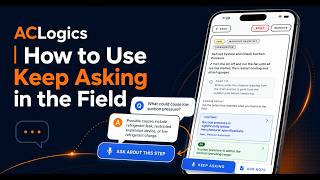
How to access Keep Asking
You can find the Keep Asking interface within any active diagnosis. Look for the Keep Asking input field or action button at the bottom of the guided diagnosis screen.
How to Use Keep Asking
- Open an Active Diagnosis: Navigate to any job in progress.
- Locate the Keep Asking Button: Tap the “Keep Asking” button at the bottom of the guided diagnosis screen.
- Submit Your Question:
- Type: Enter your specific question about a reading, error code, or component.
- Voice: Tap the microphone icon to speak your question (requires internet and microphone permission).
- Review the Insights: Keep Asking will analyze the current diagnosis context and provide a detailed response to guide your next steps.
[!TIP] Be Specific! While Keep Asking knows your diagnosis context, including exact measurements or observed symptoms in your question helps produce the most accurate advice.
Frequently Asked Questions
What kinds of follow-up questions should I ask?
You can ask about anything related to the system you’re working on. Great examples include:
- “How should I confirm this pressure reading?”
- “What would make this error code intermittent?”
- “What should I check before replacing this part?”
- “Is this voltage within normal range for this board?”
Why is Keep Asking disabled?
If the Keep Asking field is grayed out, it might be due to:
- Offline Mode: Keep Asking requires an active internet connection.
- Service Unavailability: The ACLogics AI service may be temporarily down.
- Request in Progress: A previous question is still being processed.
- Token Limit: You have reached your monthly AI usage limit.
Why did Keep Asking fail to answer?
Failure can occur due to connection drops, service interruptions, or complex requests. If it fails:
- Check your internet connection.
- Shorten your question to focus on the most relevant details.
- Retry the request. If it persists, contact ACLogics support.
How do token limits affect Keep Asking?
AI actions like diagnosis generation and Keep Asking use monthly tokens.
- Free: 50,000 tokens
- Pro: 500,000 tokens
- Team: 1,500,000 tokens
Longer, more complex requests use more tokens. If you hit your limit, AI features will be blocked until the next monthly reset.
Can I use Keep Asking while offline?
No. Keep Asking relies on our cloud-based intelligence service to provide accurate, real-time advice, which requires a stable internet connection.
Need support?
Email ACLogics with the issue details.
Include the account email, device model, app version if known, screenshots, and the exact message shown.